A plugin for Orca

Every agent. Every worktree. One glance.

Running a dozen agents in parallel worktrees? The Lobby turns them into pixel people in a room per project, so you can see who is working, who is stuck and who needs you, without opening a single tab.

orca plugin install Lilykos/orca-the-lobby
  • Orca 1.4.248+
  • Local and paired-server agents. No telemetry.
  • MIT licensed
  • No build step, no telemetry
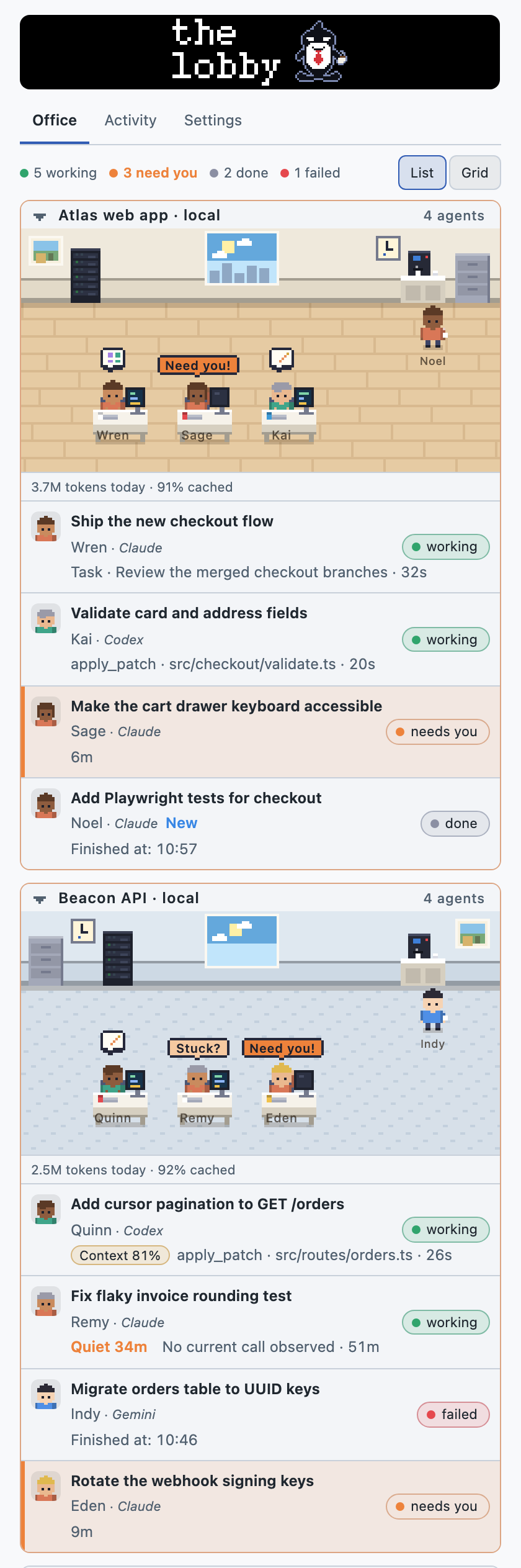
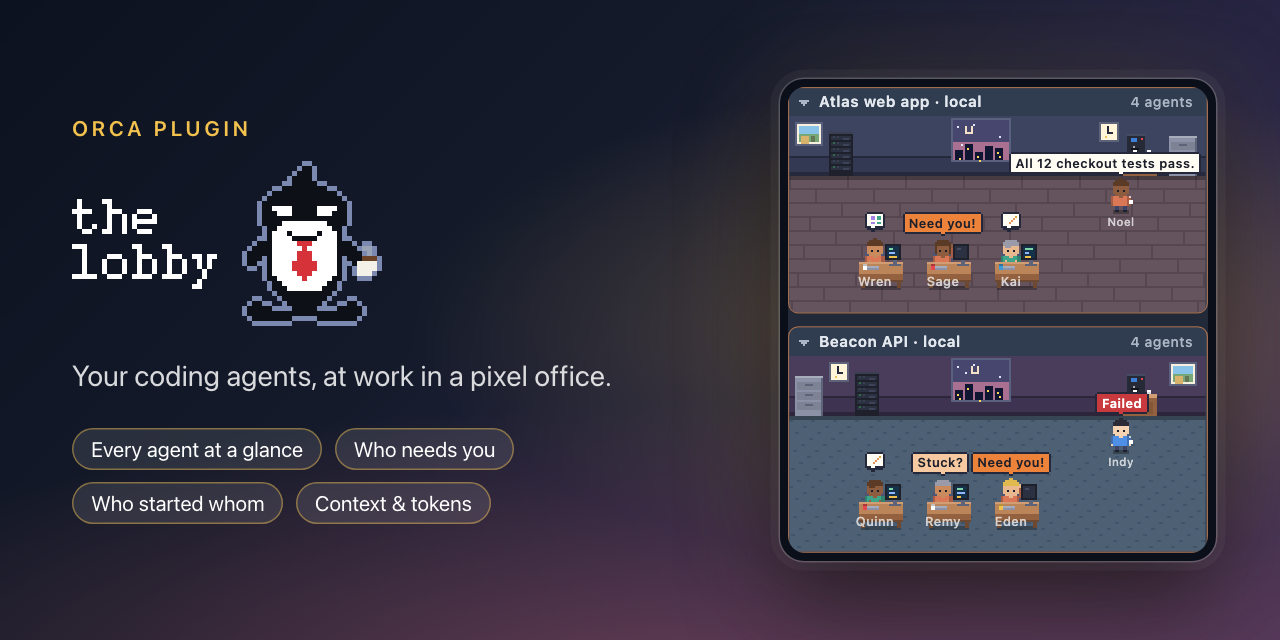
The Lobby in Orca's sidebar: several pixel-art office rooms, one per project, with agents seated at desks, a coffee machine and speech bubbles.

Why The Lobby

Parallel agents, without the tab hunt

Everything in one view

Every agent in every worktree, one room per project, with counts of who is working, needs you, is done or failed.

Know who needs you

Need you! Stuck? Failed bubbles, a Needs attention filter and an optional stuck-agent notification.

See who started whom

An org chart per project from the exact parent and worker links Orca reports, across worktrees. Never guessed.

Act from the room

Go to an agent, send it an instruction or compact its conversation, and step through agents with Mod+Alt+↑/↓.

Context and tokens

Context fill and tokens per agent, and tokens today per project, from your Claude Code and Codex logs.

Private, with some charm

No telemetry. Local files stay local; Orca uses its existing connections for paired-server agents. A day and night window, five extra palettes plus Orca's theme, and reduced motion respected.

Feature tour

What you get, one tab at a time

The Lobby lives in Orca's right sidebar, in three tabs: Office to see everyone, Activity to see who started whom, and Settings. Every picture below is demo data.

Office: every agent, one room per project

Each project checkout gets a room per host, and its worktrees on that host share it. Room signs show local or the paired server’s name. Agents that are working sit at their desks with a small thought icon for what they are doing (thinking, shell, web, edit, read, search, plan, tool or delegated work), where Orca reports it. Finished agents gather around the coffee machine.

Status colours are consistent everywhere: Working Needs you Waiting Failed Done · new Done

The big window follows your local time (night, dawn, morning, day, sunset, evening), and a List / Grid toggle puts two projects side by side once the panel is 400px wide.
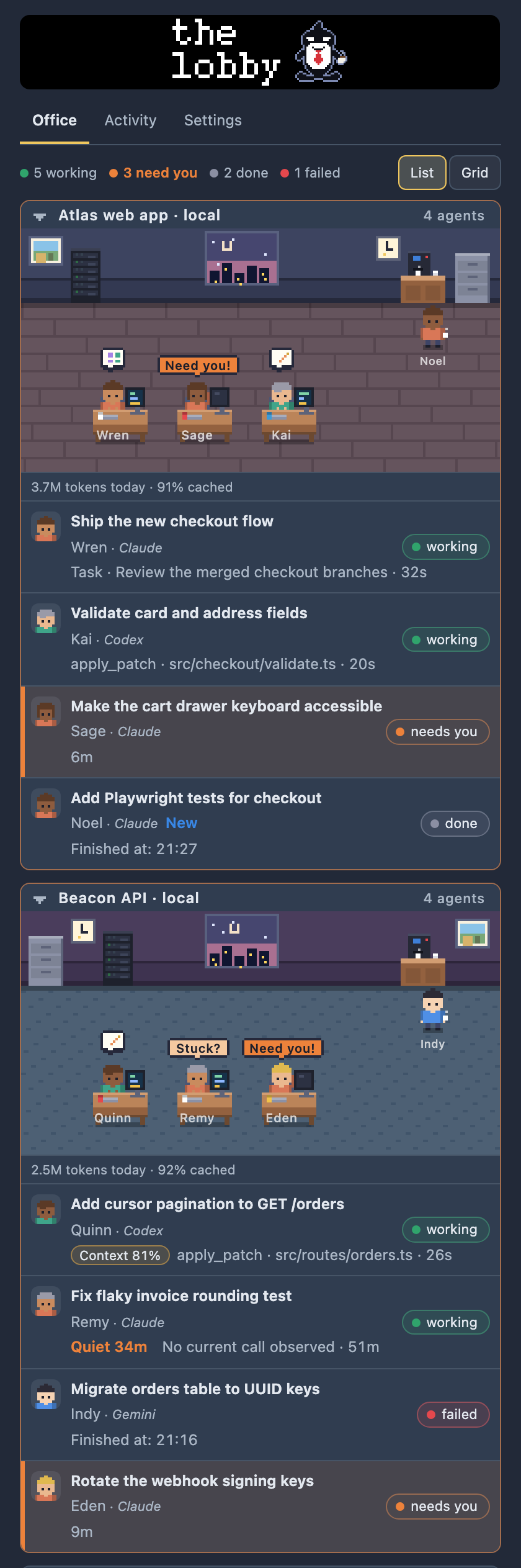
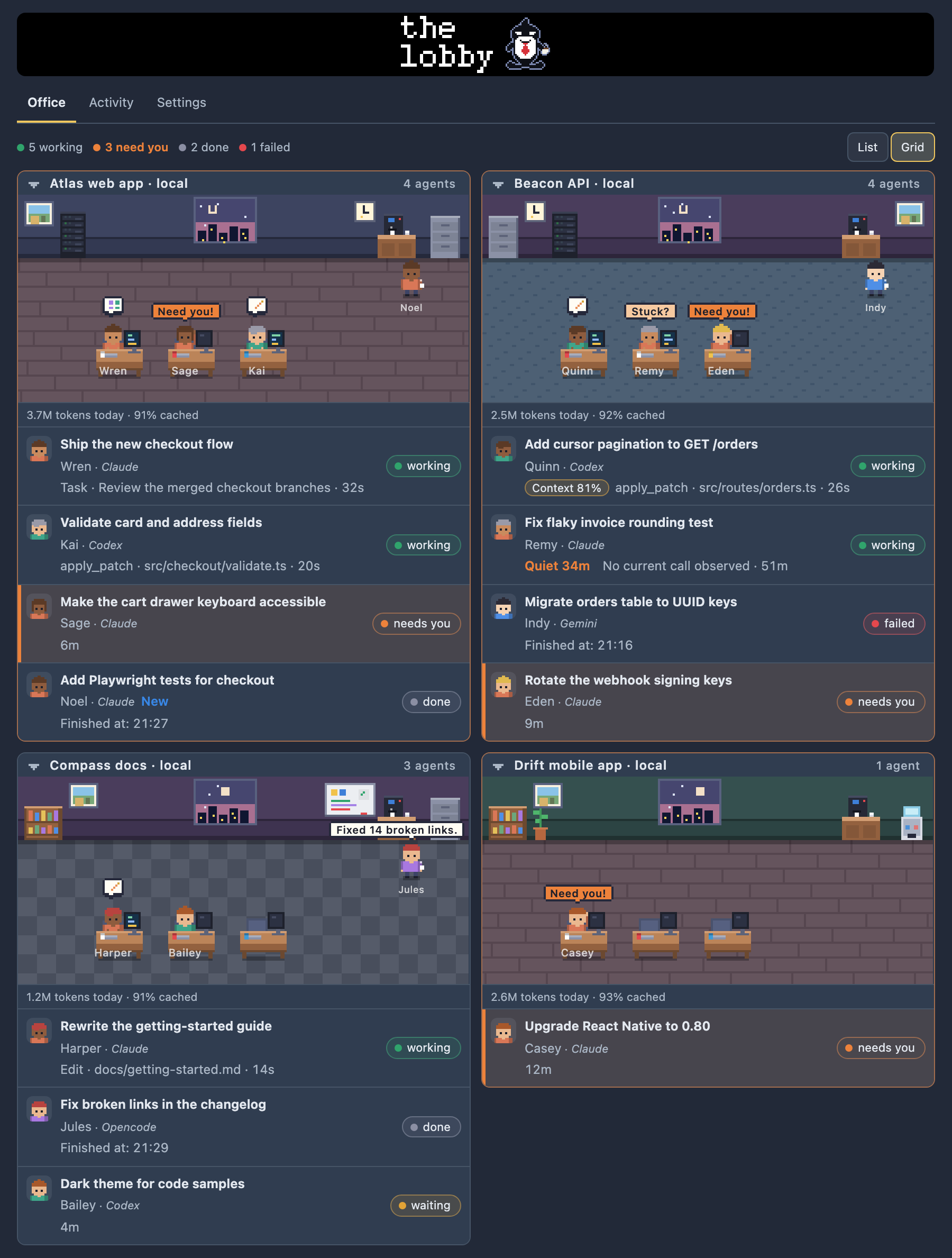
The Office tab in dark theme: a list of rooms, each with a sign, pixel people at desks and a roster of agents beneath.
Office tab, list layout.

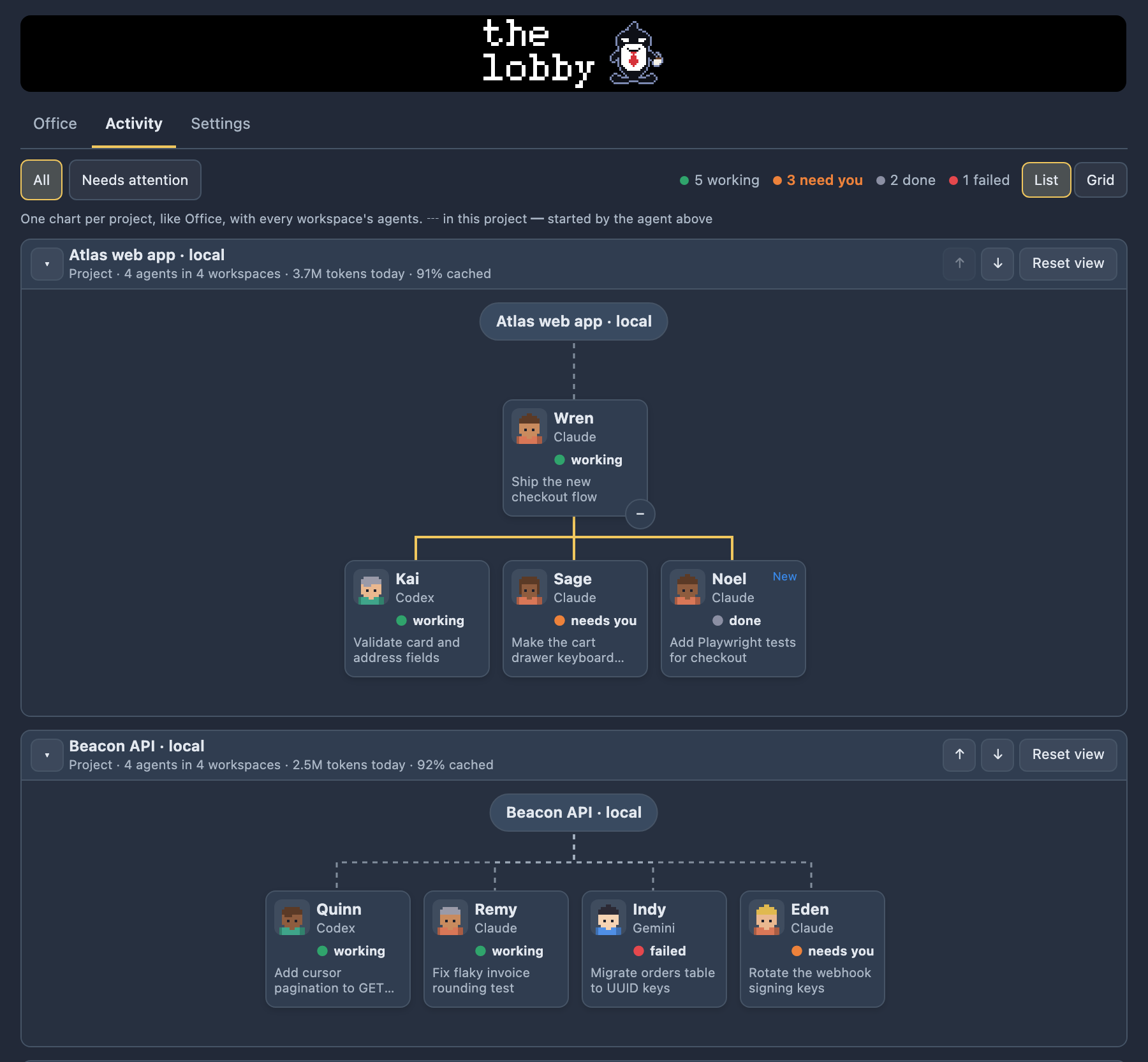
Activity: see who started whom

Activity draws a connected chart for every project. Dashed lines from the project hub show membership; solid lines show only the parent-child links Orca actually reports, such as a supervised worker's reported parent and an agent's listed children. Boxes carry a portrait, friendly name, provider, state and task.

Folding a chart with ▾ collapses it to its title bar. Wide charts pan by swipe, Shift + wheel, the left and right arrow keys, or dragging the background, and Reset view recentres them. Nothing implies that agents talk to each other, and a missing link never proves an agent has no parent.

The Activity tab: connected org charts with a project hub linked to agent boxes showing portrait, name, provider, state and task.
Activity tab: one chart per project.

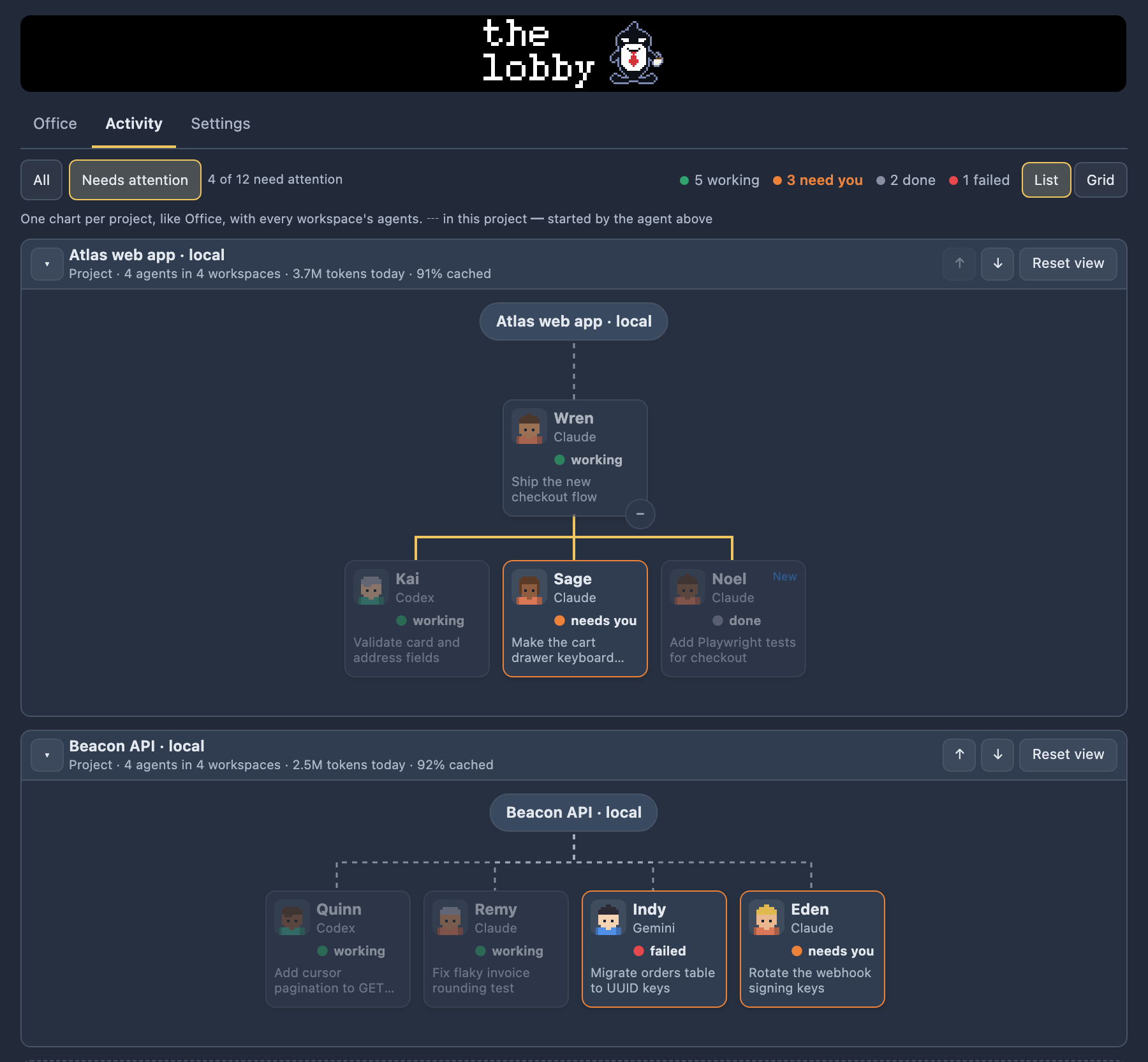
Needs attention: find who is blocked, fast

Flip All / Needs attention above the charts. Agents whose reported state is blocked, or whose reported outcome is a failure, light up; everything else dims. Nothing is removed: the hub and the ancestors of those agents stay in place so the hierarchy remains readable.

A project with nothing blocked or failed folds to a single line, and if no project has anything, you get an empty state with a Show all agents button.

The Activity tab with Needs attention switched on: blocked and failed agents highlighted, others dimmed.
Needs attention on: blocked and failed agents stand out.

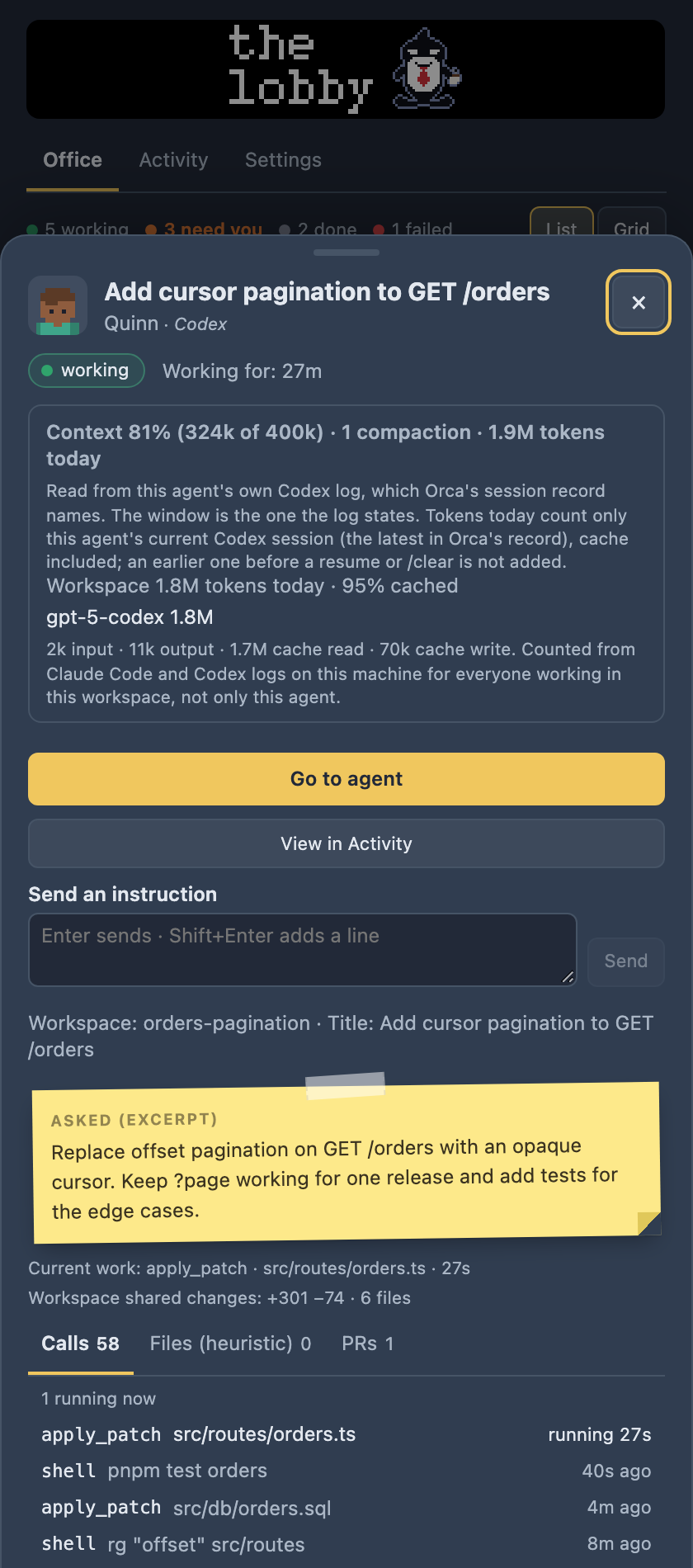
The agent drawer: act without hunting through tabs

Click a person, a roster row or a chart box and a sheet slides up over the panel: state, asked and replied notes, calls, tasks, files and PRs, plus context and tokens. View in Activity finds the agent in its chart. Esc, the × button or a click outside closes it and returns focus to where you were.

Actions happen only when you press something, and only where Orca lets a plugin:

  • Go to agent brings its terminal to the front. For an Orca chat session it opens the workspace and tells you so.
  • Instruction box (terminal agents): Enter sends the text, Shift+Enter adds a line. Errors stay under the box and keep your text.
  • Compact conversation types /compact after you confirm, for Claude Code only.

Controls that do not apply are left out, and live updates never rebuild what you are typing.

The agent drawer: Go to agent button, an instruction box, and the agent's context and token lines.
The drawer: Go to agent, instruction box, context and tokens.

Speech bubbles: know who needs you

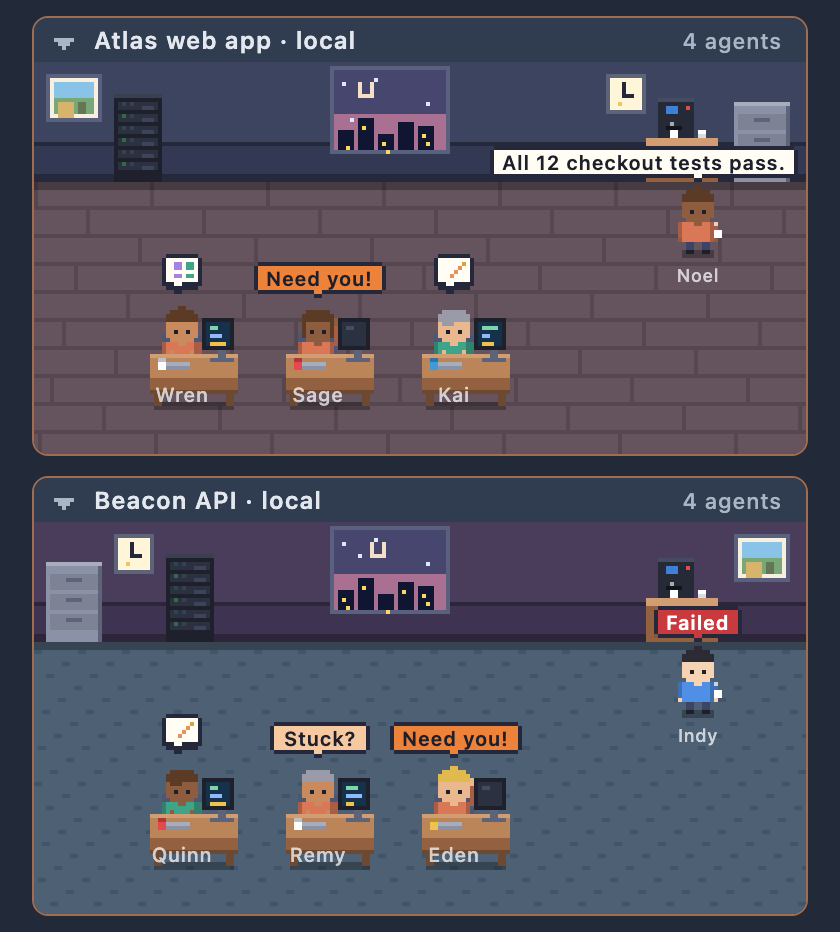
People at desks and by the coffee machine can speak, one bubble each:

  • Need you! for as long as an agent is blocked.
  • Stuck? once a working agent is overdue by your stuck setting.
  • For 20 seconds after an agent finishes, the first line of its last reply (code is skipped), or Failed when Orca reported a failure.

Needing you beats stuck, which beats a finished reply. Bubbles stay inside the room, slide or give way when they would cover a more important one, and clicking one opens that agent's drawer.

Close-up of a room: pixel people with speech bubbles reading Need you!, Stuck? and a short reply.
Need you!, Stuck? and reply bubbles.

Tokens and context: watch the fill

Tokens today are counted per workspace and per project from the agents' own logs on your machine (Claude Code and Codex), and shown under each Office room, in each Activity chart header and in the drawer. Cached input is counted separately, Codex's cached input is not counted twice, and no money estimate is made.

Context is per agent and exact: Orca's own session record names the provider's session id, and that id picks one log file. The drawer then reads, for example, Context 73% (512k of 700k) · 2 compactions · 1.2M tokens today. An Office row only gets a Context badge from 70% (amber) and 90% (red). Where the log does not state the window (Claude Code's does not), you get tokens without a percentage rather than a guess. See the limits.

Stuck alert: get pinged when an agent goes quiet

Notify me when an agent seems stuck (Off, or after 10, 20, 30 or 60 minutes; 20 by default) sends one desktop notification per quiet spell when an agent is working with no status, tool call or roster update for that long, or still needs you after that long. The Office row, the drawer and a Stuck? bubble mark such agents too, and the status bar item counts agents working and agents that need you.

Keyboard shortcuts: hop between agents

Move through your agents without the mouse. Previous agent and Next agent (also in Orca's command palette) go through agents that need you first, then working ones, then the rest, in a steady order, and jump to each like Go to agent.

All shortcuts in the guide

KeysDoes
Mod+Alt+↑Previous agent
Mod+Alt+↓Next agent
EscClose the drawer
Enter / Shift+EnterSend / new line in the instruction box

Settings and palettes: make it yours

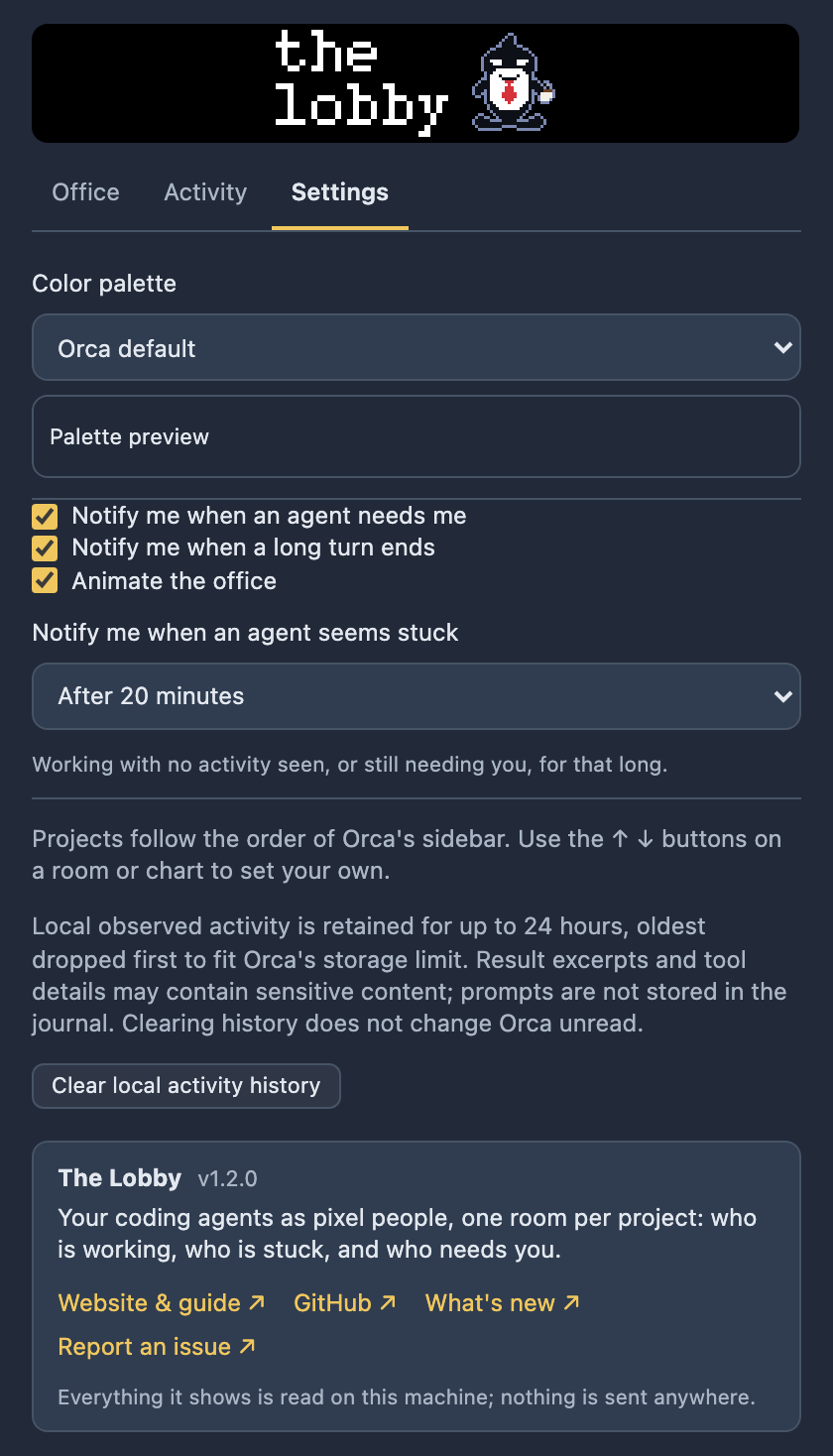
Switch notifications and animation on or off, choose a palette (Orca default follows the app theme; Catppuccin Mocha and Latte, Dracula, GitHub Dark and Light are built in), pick the stuck time, and clear the local activity history. State colours keep their meaning in every palette. Bubbles and animation respect your system's reduced-motion setting.

The Settings tab: notification and animation switches, palette selector, stuck-time selector and a clear history button.
Settings tab.

How it works

Where the data comes from

The Lobby is a read-mostly window onto what is already on your machine. It does not run agents, and it does not talk to any server.

Sources

  • Orca: orca worktree ps --json for the roster, states and prompts, plus status and tool-call events
  • Claude Code logs in ~/.claude/projects/
  • Codex logs in ~/.codex/sessions/
  • Orca's session store, read-only, for exact per-agent context
  • git diff --shortstat HEAD

The Lobby worker

  • Polls every 3 s while an agent works, every 20 s when idle
  • Reads each log once, then only what is appended
  • Keeps a 24-hour local journal, never prompts

Your sidebar

  • Office, Activity and Settings
  • Optional desktop notifications
  • Actions only when you press something

No telemetry. The plugin makes no direct network requests. Orca uses its existing connections to list agents on paired servers and navigate to them. Only usage numbers and model ids are read from the agents' logs; Orca's session store is asked only for the provider and its session id, never prompts or messages. Full details in the guide.

Permissions

What it asks for, and when each is used

Orca lists these when you install the plugin and asks you to approve them. These are the six it declares in orca-plugin.json.

CapabilityWhat it is forWhen it is used
agent:readSeeing your agents: their state, tasks, tool calls and results.Continuously, to draw the Office and Activity. Tool-call hooks only record the call and return at once; they never deny one.
workspace:readWorkspace and project names, so rooms can be grouped.When the roster changes or a workspace is added or removed.
storage:ownThe plugin's own storage: your settings and the local activity journal (24 hours at most, no prompts).When you change a setting, and as agents change state. Settings has a clear button.
workspace:writeOpening a workspace or bringing a terminal to the front.Only when you press Go to agent or use the previous / next agent shortcuts.
terminal:sendTyping into an agent's terminal.Only when you press Send in the instruction box, or confirm Compact conversation. Never by itself. Those controls are hidden if the capability is not granted.
notifications:showOptional desktop notifications.When an agent starts needing you, ends a long turn, or seems stuck, if you left those switches on. All are in Settings.
Terminal actions go through orca terminal send, because the host's own text-sending call only works for the focused workspace.

One thing capabilities do not cover

The Lobby runs as a trusted worker, so it reads Claude Code and Codex session files and Orca's session store with your own file access, and runs the Orca CLI and Git as you. That is how it gets tokens and per-agent context, and it needs no further capability. The source is public, so you can check exactly what it reads.

Honest limits

What The Lobby cannot do

  • No typing into chat agentsOrca gives plugins no way to pick or type into a chat tab. For a chat session, Go to agent opens its workspace and says so; the instruction box and Compact are for agents in a terminal.
  • No approve / denyOrca does not report what a blocked agent is asking, and offers plugins no approval controls. A blocked agent just says Needs you and points to Go to agent.
  • Claude shows no context %Claude Code's logs do not state the context window, so Claude agents show tokens without a percentage instead of a guessed one. Codex logs do, so Codex agents get one.
  • Per-workspace vs per-agent tokensToken totals under rooms and in chart headers are per workspace and project for the local day. Per-agent numbers exist only where the exact id chain links an agent to one log.
  • Per-agent context: macOS chat agents onlyIt needs Orca's internal session store (agent-session-domain.db on Orca 1.4.261+, the legacy store on older versions) and the sqlite3 macOS ships. Agents in a terminal tab, other providers, other systems, or a future Orca that changes that store show nothing.
  • Paired serversUnreachable servers disappear until they reconnect. Remote file and log enrichment, instruction sending and Compact are unavailable.
  • No model nameOrca's supported metadata gives the provider (Claude, Codex, Pi, …), not the selected model, so the provider label is not a model.
  • Some tool calls are missedShort chat tool calls can fall between polls, and Orca does not yet report terminal tool calls on SSH or WSL hosts.
  • Changed files are approximategit diff --shortstat HEAD counts uncommitted changes but not new untracked files, and matching a Claude transcript to an agent uses title and prompt similarity, which can be ambiguous.

More in the troubleshooting section.

Requirements

Install it

You need

  • Orca 1.4.248 or newer
  • One or more coding agents running in Orca
  • For per-agent context: macOS (it uses the system sqlite3)

Then

orca plugin install Lilykos/orca-the-lobby

Orca lists what the plugin would be granted and prints a command to re-run with --approve; then open The Lobby from the sidebar. Step by step.